

WTMOD Migrator Engine
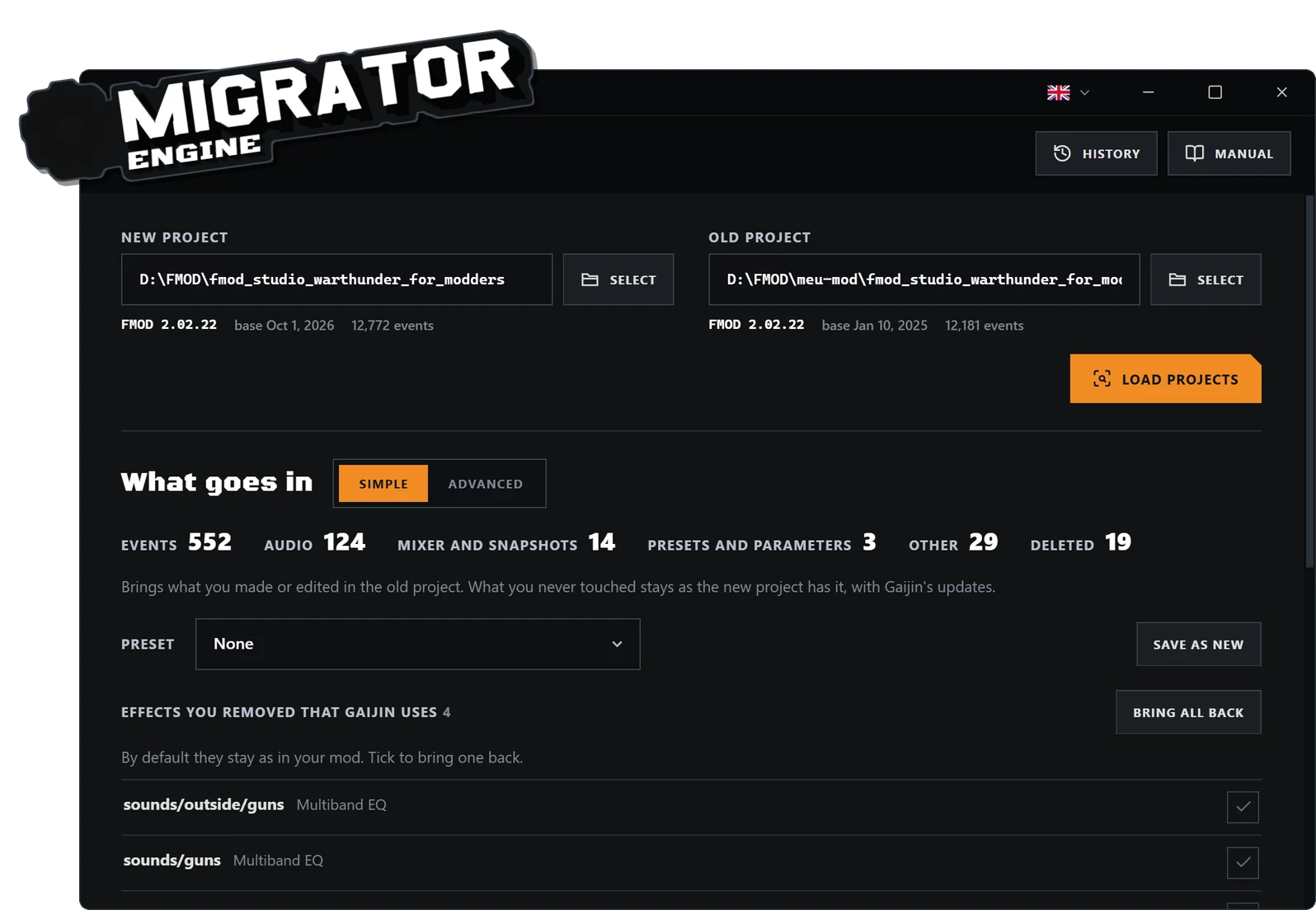
Moves your sound mod to Gaijin's new FMOD project, bringing over only what you changed without undoing the official updates. You review the plan first, then apply it directly or to a copy.
- Brings over only your changes
- From hours or days to about 5 minutes
- Reviewable plan, directly or to a copy
What it is for
When Gaijin updates War Thunder's sound project in FMOD Studio, a sound mod made on the old version falls behind. Redoing every change by hand in the new project can take hours, days or weeks.
WTMOD Migrator Engine moves your mod to the new FMOD project, bringing over only what you changed without undoing what Gaijin updated. It is free and runs on Windows.
How it works
You point it to your project and to Gaijin's new project. To tell your changes apart, Migrator compares your project with the original project your mod was made from.
From that it builds a plan with everything it will bring over: events, sounds, settings and folders. Where you and Gaijin changed the same thing, it merges both changes or leaves the choice to you.
You review the plan and apply it directly or to a copy. With FMOD Studio installed, Migrator also checks the migrated copy.
Less manual copying, more efficiency
In practice, Migrator works as a preparation stage: it looks at an older project and a current base, organizes what can move forward, and helps the modder turn a tiring migration into a reviewable process.
It is useful both when updating a sound mod after a base change and when reusing sounds or events from another project without switching between two windows and repeating the same move hundreds of times.
The final time depends on the project size and organization, but the goal is clear: work that could take hours, days or weeks can fit into a short session, around 5 minutes in favorable cases.
Engine in preview
The engine is functional and no errors are currently known from the tests completed so far. However, it has not yet been exercised across a wide enough variety of projects to cover every possible case. While it remains in preview, keep a copy of the original project and review the migration result before replacing any active work.
Compatibility
Windows and FMOD Studio projects. With FMOD Studio installed, Migrator also checks the migrated copy.
Frequently asked questions
Is Migrator Engine free?
Yes, it is free.
What is Gaijin's FMOD project?
It is the FMOD Studio project Gaijin publishes for people who make War Thunder sound mods. The mod is made in it and becomes .bank files, which the game reads.
Do I need FMOD Studio installed?
Not to migrate. With FMOD Studio installed, Migrator also checks the migrated copy.
Does it change my original project?
You choose whether the plan is applied directly or to a copy. While the engine is in preview, keep a copy of the original project and review the result before using it.
How long does it take?
It depends on the size and organization of the project. In favorable cases, about 5 minutes, against hours or days of work by hand.
What if I only play with sound mods?
Players do not need Migrator: to install and switch mods, use WTMOD Zero.
FMOD Studio is a trademark of Firelight Technologies Pty Ltd. WTMOD is not affiliated with, sponsored by, or endorsed by Firelight Technologies.